
Easy for everyday staff
Give owners, managers, receptionists, operators and technical staff access only to the functions required for their work.
Guest Wi-Fi access and user management
Create guest accounts, control internet access, monitor connected users and manage your network from one simple portal—whether you operate a small café, a hotel, a hospital or an entire campus.
Guest internet access for
HospitalityHealthcareFood serviceEducationManaged venuesBuilt around daily operations
FusionSpot turns guest Wi-Fi administration into a clear workflow for everyone—from reception and operations teams to authorized network administrators.
Give owners, managers, receptionists, operators and technical staff access only to the functions required for their work.
Display menus, pages and actions according to each staff member’s role and permissions.
Create one account or many. Apply time, data, speed, expiry, device and MAC rules as required.
See who is online, review live activity, inspect active sessions and disconnect a user when necessary.
Guide guests through a responsive login, connection status and logout experience on any common device.
Review connection attempts, user history, usage, online status, deleted users and device assignments.
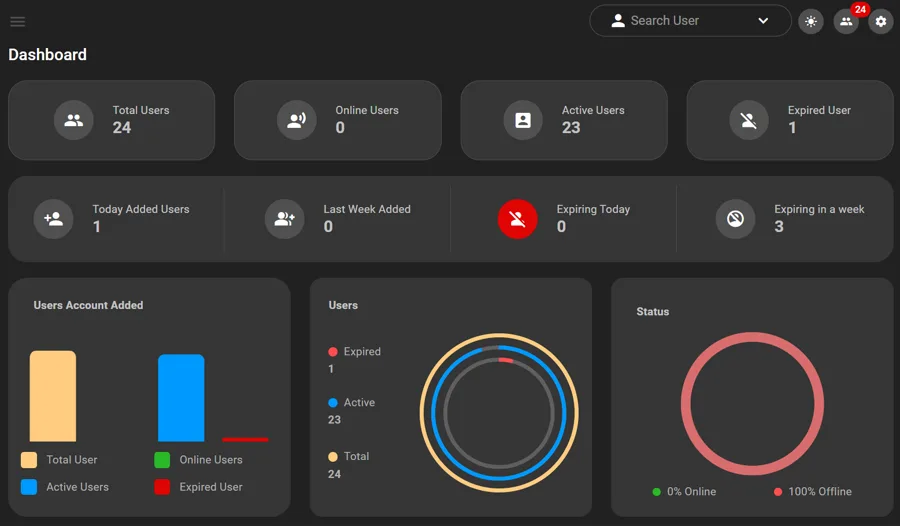
One approachable portal
Authorized users can see online users, active sessions, current usage and important service information from a focused dashboard.
Branded guest journey
Guests are directed to a responsive portal for login, connection status and logout while your organization maintains its own identity and policies.
More than a hotel product
Access rules, staff responsibilities and reporting needs differ by environment. FusionSpot supports these operational differences from one consistent platform.
Reception-friendly account creation, guest packages and staff permissions.
Controlled visitor access, usage policies and accountable operations.
Fast onboarding, branded login and time-limited access.
Bulk users, device limits, reporting and delegated roles.
Resident accounts, renewals, expiration and device management.
Temporary visitors, auditability and network visibility.
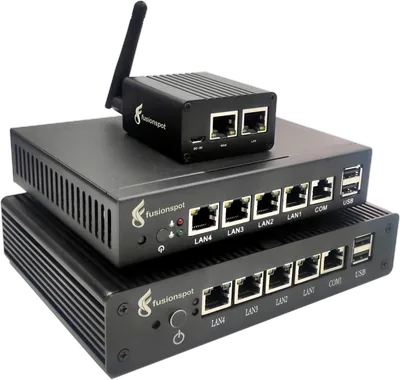
Hardware that fits the deployment
Recommendations are based on licensed user capacity, reporting-retention requirements and expected simultaneous usage—not a one-size-fits-all number.
For smaller venues with modest user capacity and limited reporting retention.
For hotels, hospitals, schools and medium-sized managed networks.
For campuses, large hospitality sites and deployments needing greater storage and concurrency.
Tell us about your venue, expected usage and retention needs. We’ll help identify the appropriate appliance.
Find the Right ApplianceSecurity and reliability
FusionSpot combines controlled staff access with backup, update and recovery safeguards designed for dependable day-to-day operation.
Review reliability featuresShow each staff member only the pages and actions their role requires.
Verify controlled updates before installation and create a safety backup.
Support recovery after an update fails instead of leaving the system incomplete.
Download and restore configuration and operational data when required.
Ready to discuss your deployment?